

How to create an IRS account
Step-by-step guide to creating an individual taxpayer account
Follow these 13 illustrated steps to set up access to your tax records, balances, payment history, and notices. Set aside about 30 minutes before you begin.
- Step 1 of 13
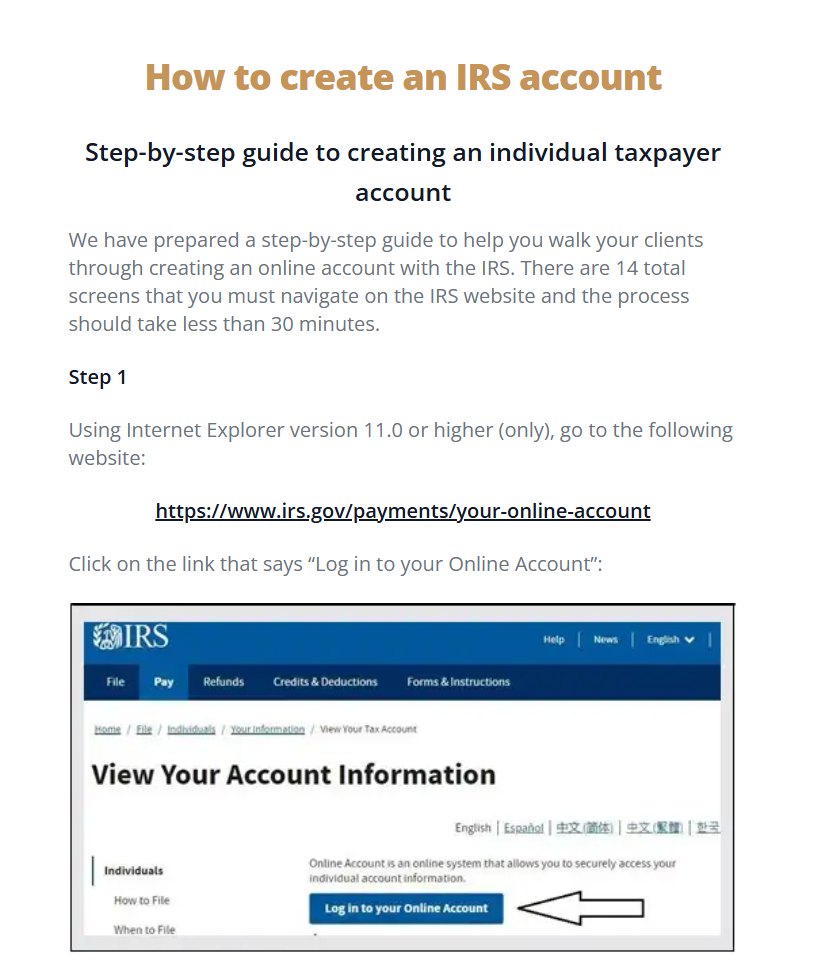
Open the IRS online account page
Visit the IRS online account page and select “Log in to your Online Account.”
- Step 2 of 13
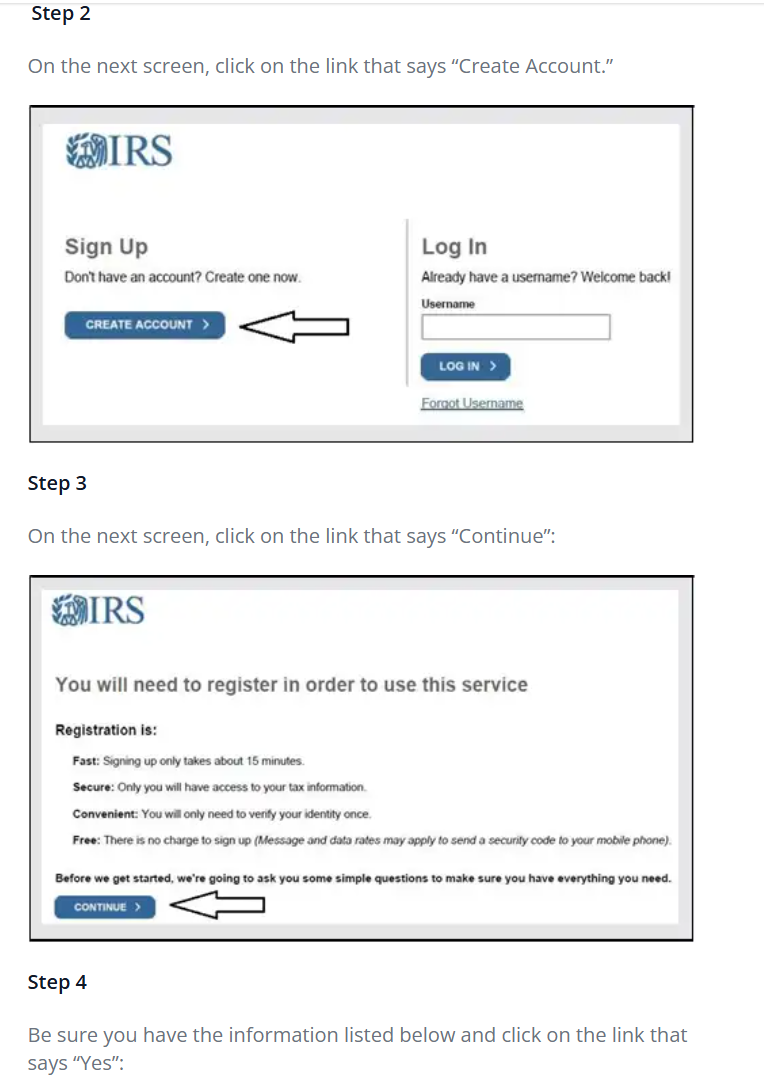
Choose Create Account
On the next screen, choose “Create Account” in the Sign Up section.
- Step 3 of 13
Continue registration
Review the registration information, then select “Continue.”
- Step 4 of 13
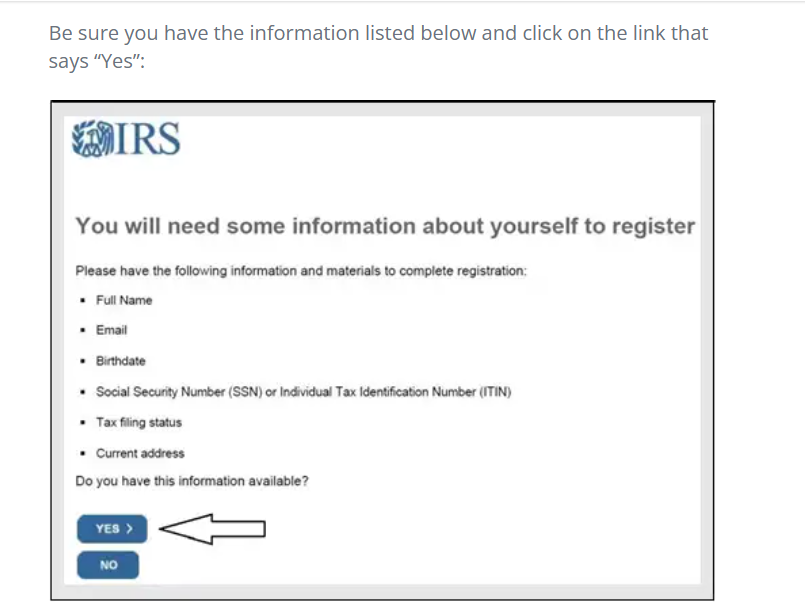
Confirm your personal information is ready
Have your full name, email, birthdate, SSN or ITIN, tax filing status, and current address ready. Select “Yes.”
- Step 5 of 13
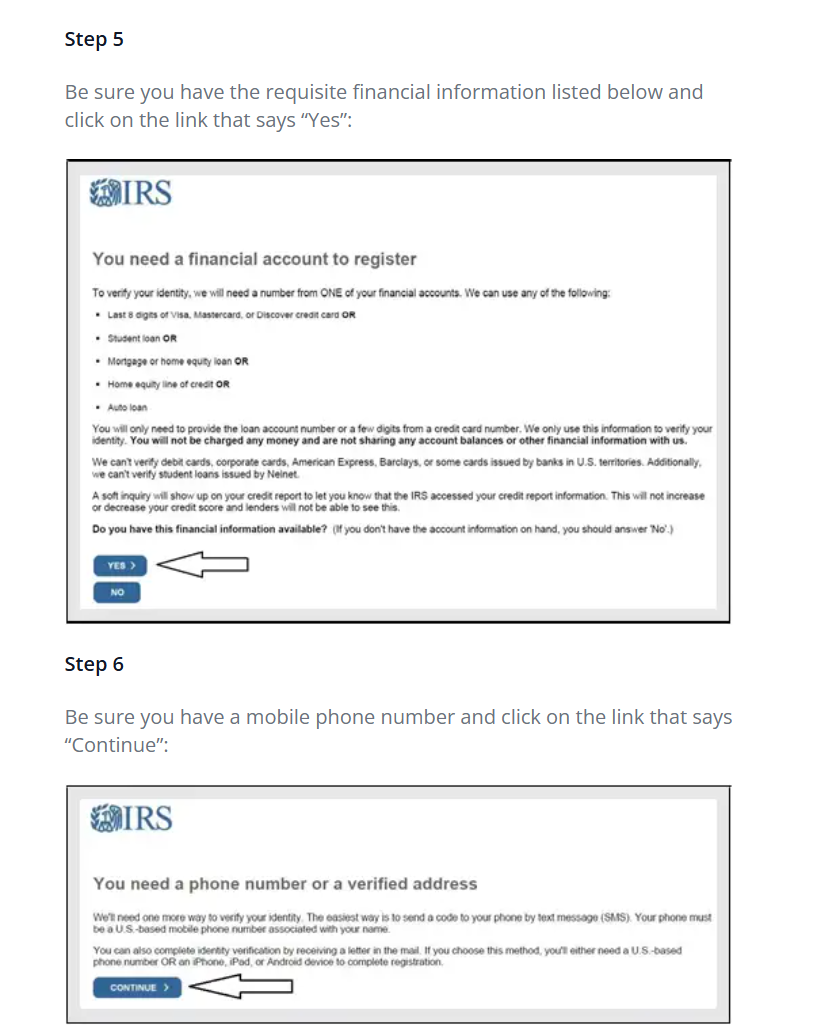
Confirm your financial information is ready
Have one eligible financial account available, such as a credit card, student loan, mortgage, home equity loan, or auto loan. Select “Yes.”
- Step 6 of 13
Confirm your phone or address
Have a U.S.-based mobile phone number available, or follow the mailed verification option, then select “Continue.”
- Step 7 of 13
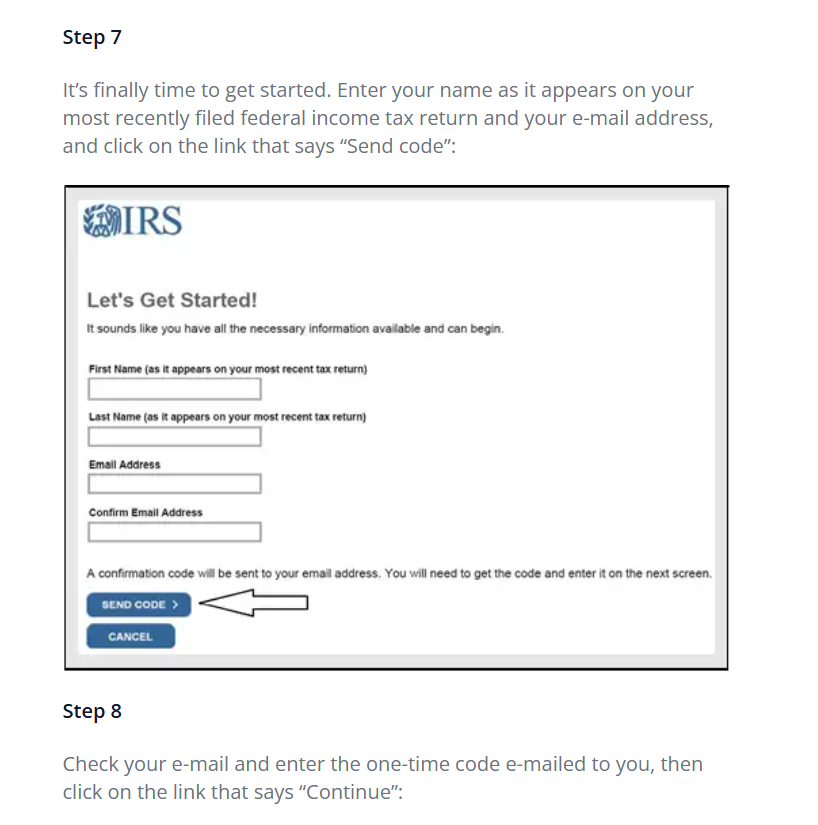
Enter your name and email
Enter your name exactly as it appears on your latest federal tax return, add your email address, and select “Send code.”
- Step 8 of 13
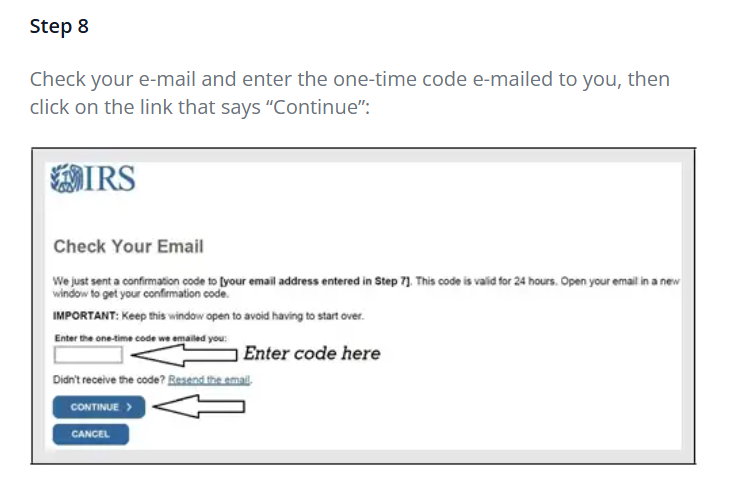
Verify your email
Check your email, enter the one-time code, and select “Continue.”
- Step 9 of 13
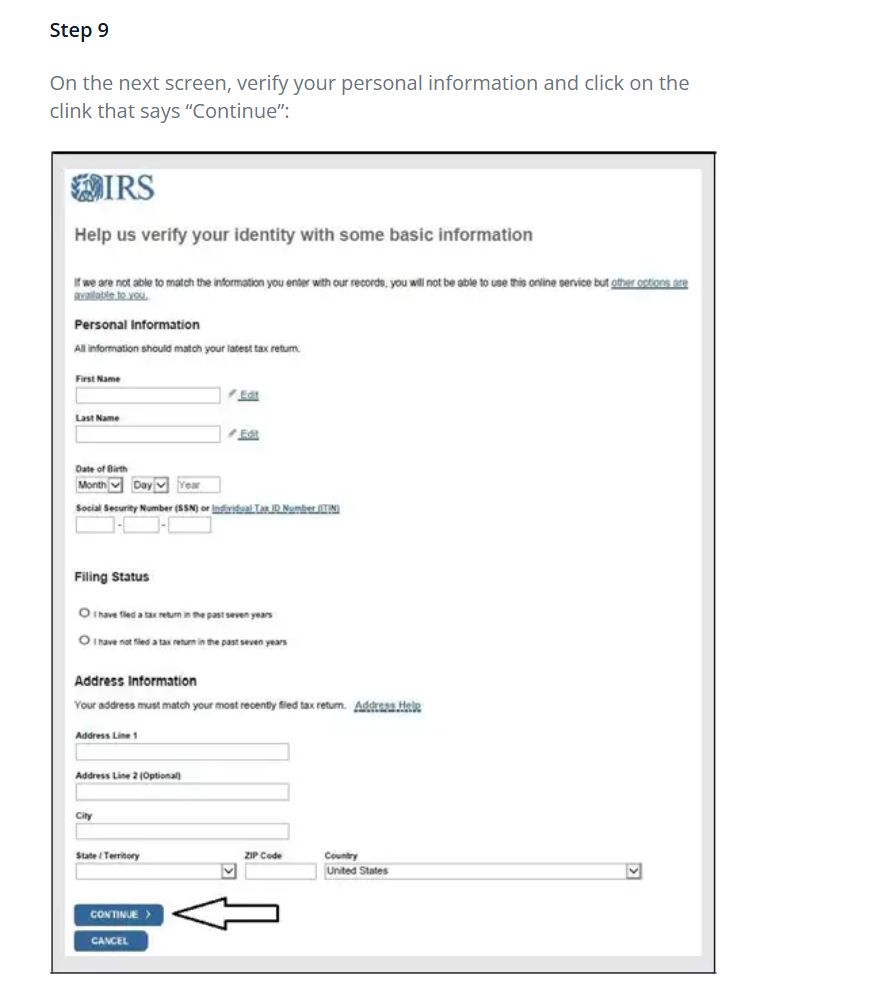
Verify your personal details
Enter the requested personal and address information exactly as shown on your most recently filed return, then continue.
- Step 10 of 13
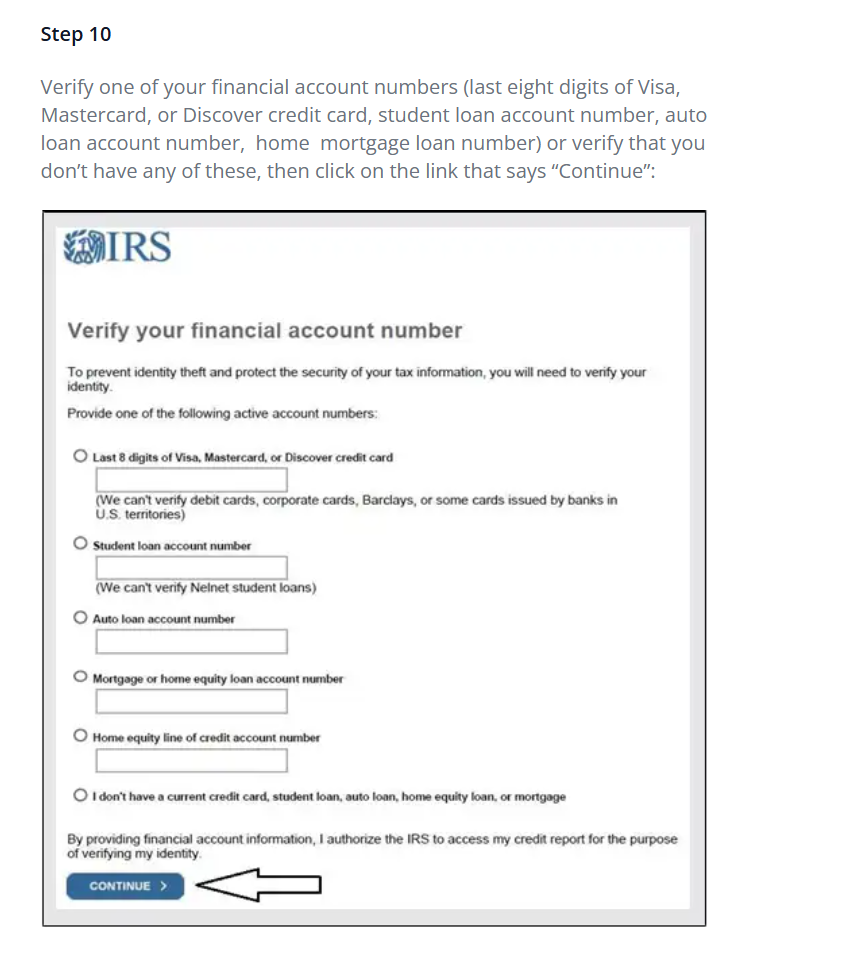
Verify a financial account
Choose one eligible account, enter the requested account number, and select “Continue.”
- Step 11 of 13
Enter your mobile phone number
Enter your U.S.-based mobile phone number and select “Send message.”
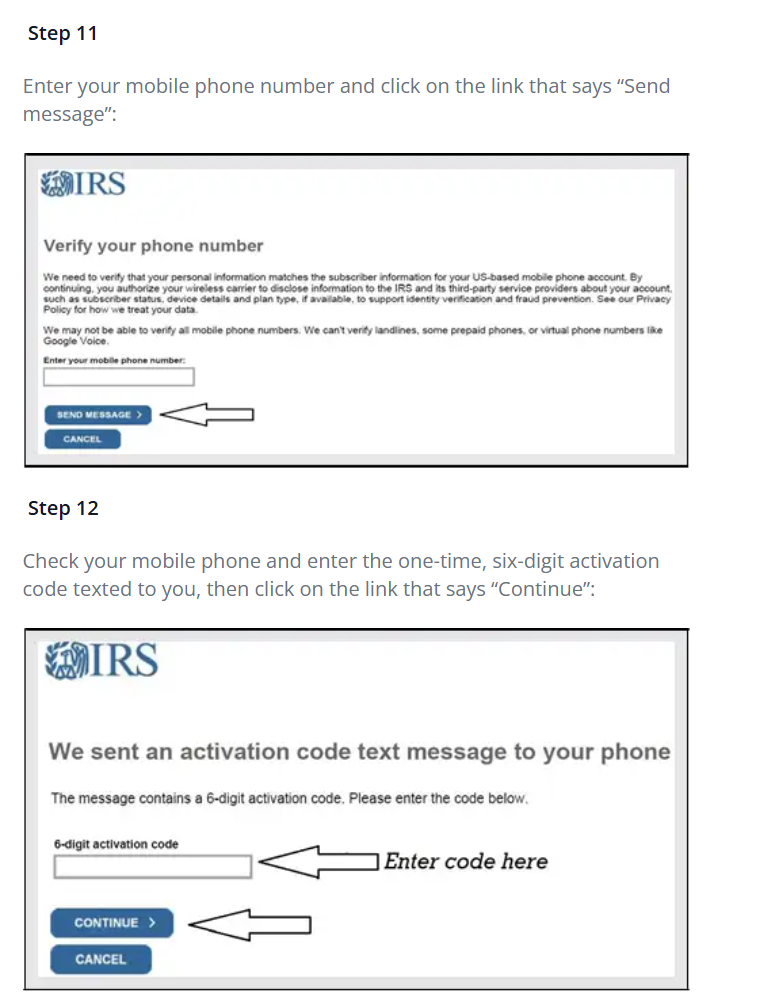
- Step 12 of 13
Enter the activation code
Enter the six-digit code sent to your phone and select “Continue.”
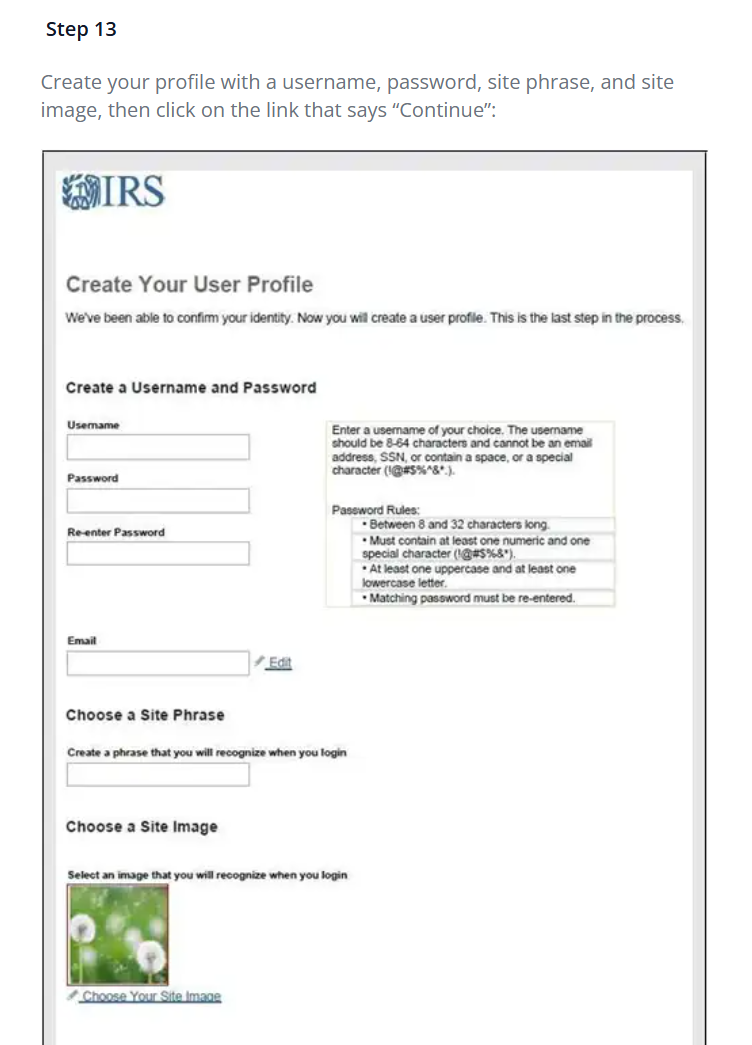
- Step 13 of 13
Create your user profile
Choose a username, secure password, site phrase, and recognizable site image. Review everything before continuing.
IRS screens and identity-verification requirements may change. Follow the current instructions shown on IRS.gov and never share your password or verification codes.